 Jenny Mod
 Guides
How to Install Jenny Mod on PC
Start by matching your Minecraft version, Forge version, and mod file. Then test the setup in a fresh profile so you can identify problems before adding other mods.
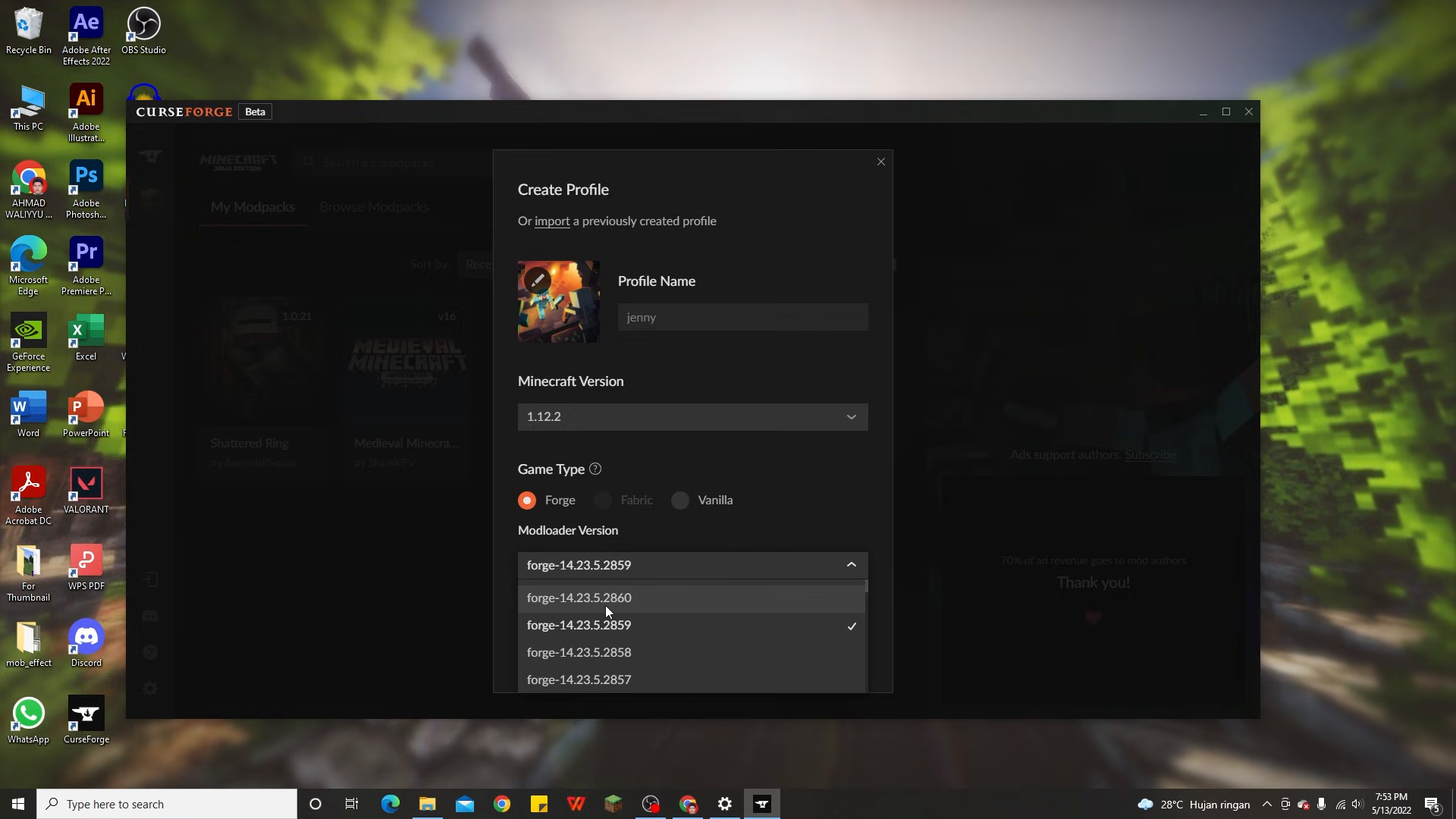
Set Up the Right Minecraft Profile
To follow this guide on how to install Jenny Mod on PC, first check the release you want to use. The commonly documented original Java setup targets Minecraft 1.12.2 with Forge. A different fork can have different requirements, so match the game version, loader, and dependencies listed for your exact file.
Launch the unmodified game version once before adding anything. That confirms the base installation works and creates the usual game files. If the game already fails at this stage, resolve that problem before introducing the mod. You will then have a clearer starting point when testing the new content.
Use a separate profile or game directory for the first installation. Keeping a test setup apart from an existing mod pack makes conflicts easier to identify. Back up any saves you plan to use, and keep a note of the versions that already work together.
What you need before copying files
- A working Minecraft Java installation.
- The Minecraft version required by the mod release.
- A matching Forge installation or profile.
- The release’s mod file and documented dependencies.
- A separate world for checking that everything loads.
A profile manager can help keep installations separate, but the manager and the mod file are different parts of the process. The source image shows a creator choosing Minecraft 1.12.2 and Forge in a profile manager. Use the controls provided by your launcher to create an equivalent version-matched setup.
Install Your Mod File
1. Install the matching Forge version
Get Forge from its release source for the Minecraft version your mod requires. For a manual client installation, follow the installer’s client instructions. After installation, open your launcher and select the new Forge profile. Launch it once before adding the mod so you can check that the loader itself starts.
If you use a profile manager, check its selected game version and loader. The profile’s own folder can differ from the default Minecraft folder. Use the manager’s folder-opening option when available, then confirm you are editing the directory belonging to the profile you intend to launch.
2. Move the .jar into the mods folder
Download the Java mod file from the release source you have checked. Keep its filename and compare any listed dependencies with the files you have. Copy the .jar into that profile’s mods folder. The loader reads the archive directly, so leave the file intact.
For the default game directory, these are common locations. A custom launcher or profile can use another path, which is why checking the active profile matters more than memorizing one folder.
| System | Location |
|---|---|
| Windows | %appdata%\.minecraft\mods |
| macOS | ~/Library/Application Support/minecraft/mods |
| Linux | ~/.minecraft/mods |
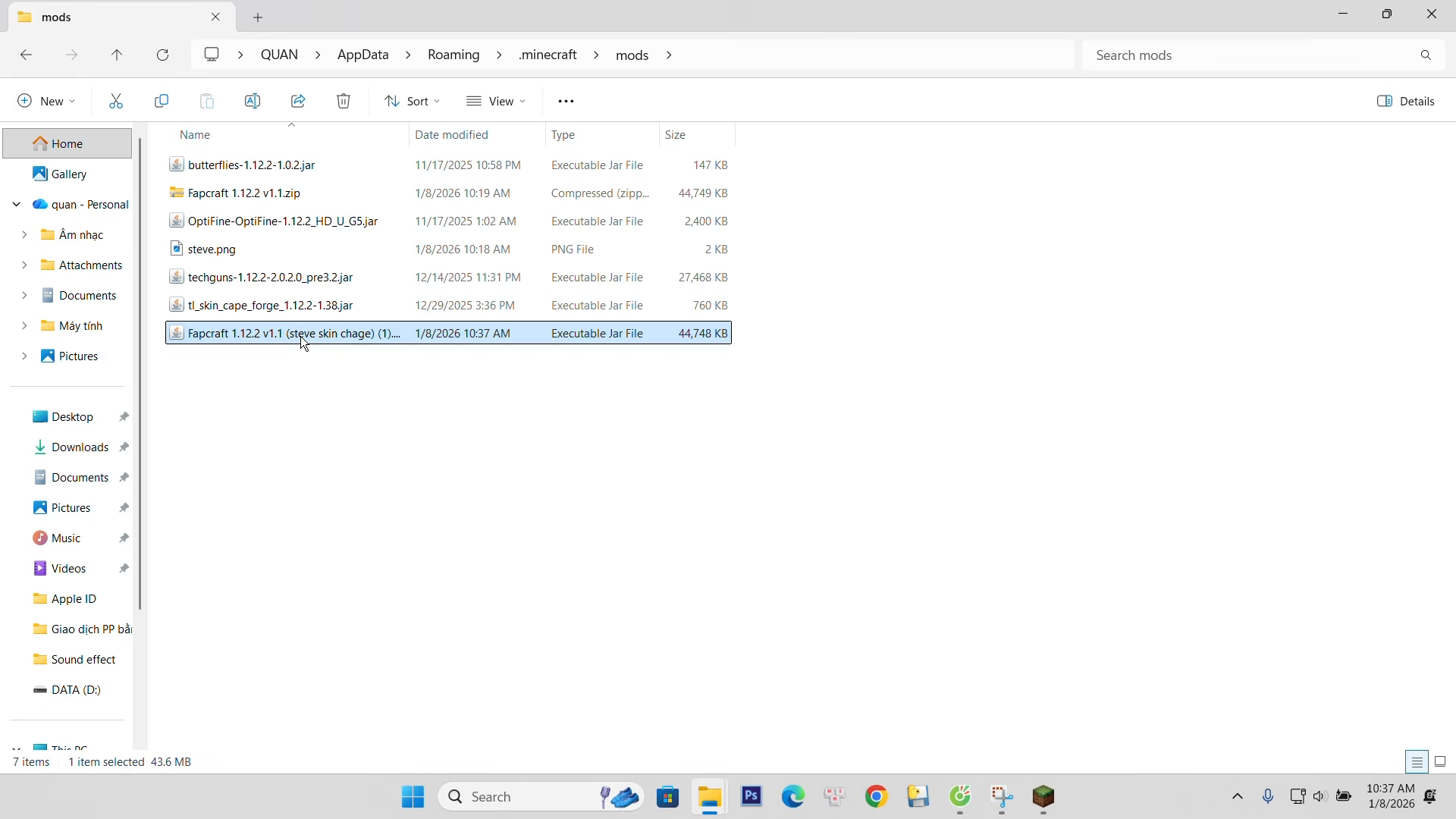
If the folder does not exist, check that you opened the correct game directory and launched the loader once. You can create a mods folder there if required. Avoid placing a second copy of the same mod in another subfolder while testing, because duplicate files can make the result harder to understand.
3. Launch the Forge profile
Return to the launcher, select the profile you just prepared, and start Minecraft. Watch for dependency messages or a version mismatch. If the game reaches its title screen, open Mods and check the loaded entries before opening a world.
Keep unrelated mods out of the first test. Once the required setup works, you can add other compatible content gradually. Launch after each meaningful change so you know which addition caused a problem if the game stops loading.
Check That It Loaded
Create a new Creative world for the first check. Open the inventory and look for the item group or spawn method described by the release. If your build provides a Jenny spawn egg, select it and try it on clear ground. Some packages use another documented method, so follow the instructions for the file you installed.
Check the basic result before exploring every feature. The model should appear, textures should load, and the supported controls should respond. If the character is present but a particular action is missing, compare the feature list with your release rather than assuming installation failed.
If Minecraft Crashes
| Problem | What to check |
|---|---|
| Wrong game version | Match Minecraft, Forge, and the mod requirements. |
| Missing dependency | Read the release’s required files and versions. |
| Mod conflict | Test only the required components in a clean profile. |
| Mod absent from the list | Confirm the launched profile and its mods directory. |
Read the first useful error in the latest log or crash report. A message naming a missing dependency gives you a more specific next step than the launcher’s final exit code. Keep a copy of the error and your file list before making changes so you can explain what happened if you ask for support.
If the game starts after removing an unrelated mod, check whether the two releases support each other. Replacing several files at once can hide the cause. Work from the last known-good setup and change one component at a time.
Updating a working installation
Before an update, copy the working profile or back up its saves and mod files. Read the new release notes for game-version changes and dependencies. Test the update in a separate profile first, then decide whether to use it with an existing world.
A newer Minecraft version does not automatically run an older mod archive. The release needs to support that version and its loader. Keep the original working files until you have checked the replacement.
PC Installation Questions
Where is my mods folder?
Check the game directory of the profile you launch. The table above lists common default locations, while profile managers may use their own folders.
Should I extract the .jar?
Keep the mod archive intact in the mods folder. Follow separate extraction instructions only when a release supplies a larger download containing several files.
Can I use a Bedrock add-on in this profile?
Bedrock packs use a different content system. Use the file intended for your Minecraft edition.
You can find Forge releases at the Forge download site. After setup, follow the first-play guide and check the character list for your build.