 Jenny Mod




Independent Fan Guide
Jenny Mod Minecraft – Download for Java, Bedrock & MCPE
Add Jenny and other companion characters to your Minecraft world. Choose your edition below, then follow the steps to set up and test the mod.
18+ Independent fan guide
Download Jenny Mod for Minecraft
Start by checking whether you play Minecraft Java or Bedrock.
If you play Java Edition on a computer, follow the Forge guide. For Bedrock or MCPE, look for an add-on made for your game version. Each option uses its own files and setup steps, so check your edition before you download.
| Mod Information | Details |
|---|---|
| Mod Name | Jenny Mod |
| Game | Minecraft |
| Creator Credit | Commonly credited to Schnurri_tv / SlipperyTum |
| Category | Companion / NPC Mod |
| Java Compatibility | Minecraft 1.12.2 with Forge |
| Bedrock Compatibility | Depends on the community add-on |
| Java File Format | .jar |
| Bedrock File Format | .mcaddon / .mcpack |
| Platforms | PC, Android and supported Bedrock devices |
| Price | Free community builds available |
| Age Suitability | Adults only (18+) |
What Is Jenny Mod in Minecraft?
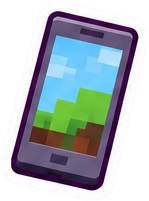
Jenny Mod is a fan-made Minecraft mod that adds companion characters to your world. These game-controlled characters are often called NPCs. They can have their own look, animations, and interaction menus.
You can use it to try character-focused activities alongside building and exploring. The original Java setup uses Forge, while Bedrock players need a separate community add-on.
Who Is Jenny in Minecraft?
Jenny is the main character associated with the mod. You can find or spawn her using the method supported by your version, then try its character controls.
Some versions also include other companions. Their appearance and actions can change between releases, so use the instructions that came with your download.

Features of Jenny Mod Minecraft
The mod focuses on custom characters and the ways you interact with them. Here are the features you may find, depending on the version you choose.

Interactive NPC Characters
Meet Jenny and other characters added by your version. Walk up to them and try the interaction controls explained in the mod’s instructions.

Custom Character Animations
Characters can have their own poses, movements, and reactions. The animations you see depend on the version you install.
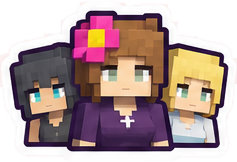
Multiple Companion Characters
Some versions include companions such as Ellie, Bia, or Bee alongside Jenny. Check the character list for your download to see who is included.

Character Interactions
Some characters have menus or respond to items you give them. Start with the controls listed for your version and try one action at a time.
Customizable Character Appearance
Certain versions support different skins or textures. Check which resource packs work with your version before changing a character’s look.
Creative Mode Support
Creative Mode makes it easier to find the mod’s items and test its characters. Use a new world so you can try things without changing your main save.
Community-Made Bedrock Add-ons
Community add-ons bring Jenny-themed content to Bedrock. They use resource and behavior packs, and their features can differ from the Java mod.
Jenny Mod Characters
Check which characters are included with your version.
| Character | Description |
|---|---|
| Jenny | Main companion NPC |
| Ellie | Included in certain versions |
| Bia | Found in some community builds |
| Galath | Appears in expanded versions |
| Bee | Featured in some NPC collections |
Looking for someone specific? Read the character list before choosing a download.
Jenny Mod Java vs Bedrock: What’s the Difference?
Java and Bedrock use different files and ways to install extra content.
On a computer, you may have access to both editions. Open the game or launcher and check which one you use. Java mods go in a mods folder, while Bedrock add-ons are imported and turned on in a world’s settings.
| Feature |  Java Edition |  Bedrock / MCPE |
|---|---|---|
| Platform | PC | PC and mobile |
| File Format | .jar | .mcaddon / .mcpack |
| Mod Loader | Minecraft Forge | Not required |
| Common Version | 1.12.2 | Depends on the add-on |
| Animations | Original mod features | Varies by adaptation |
| Installation | Mods folder | Import and activate packs |
| Customization | Java mods | Resource and behavior packs |
How to Download and Install Jenny Mod on Minecraft Java Edition
Prepare a separate Java profile for your first test. Match Minecraft, Forge, and the mod file before you start, then follow these five steps.
-


Install Minecraft Forge
Check the game version required by your mod file, then install the matching Forge version. The commonly used Java setup is Minecraft 1.12.2 with Forge.
-


Download Jenny Mod
Choose a .jar made for your Minecraft and Forge versions. Keep any extra files listed in the release instructions with the same setup.
-


Open the Minecraft Mods Folder
Start the Forge profile once, then close Minecraft and open that profile’s mods folder. If you use a separate launcher profile, check its own game folder.
Mods folder locations
- Windows
%appdata%\.minecraft\mods - macOS
~/Library/Application Support/minecraft/mods - Linux
~/.minecraft/mods
- Windows
-


Add the Jenny Mod File
Copy the .jar into the mods folder and leave it as it is. Add the required dependencies too, if your release lists any.
-

Launch Minecraft
Select your Forge profile in the launcher and start Minecraft. Open the Mods menu, then use a new Creative world to check that the character and items appear.
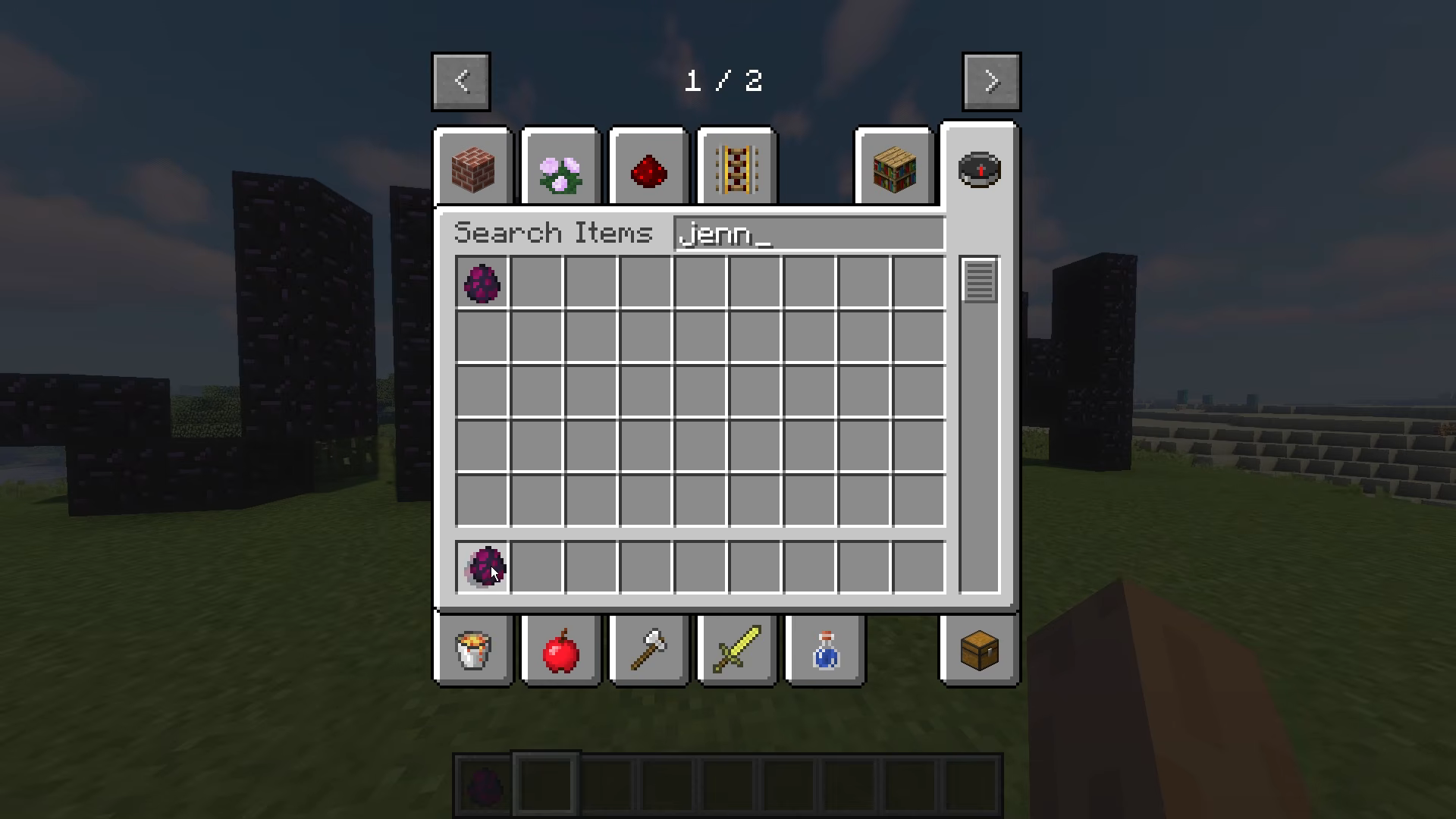
Try a separate test world first.
How to Install Jenny Mod on Minecraft Bedrock & MCPE
Use a community add-on compatible with your Bedrock version.
-

Download the Bedrock Add-on
Check your Minecraft Bedrock version and choose an add-on that supports it. Some downloads include separate resource and behavior pack files.
-

Import the Files
Find the downloaded .mcaddon or .mcpack and open it with Minecraft. Wait for the import message before moving to the next step.
-

Activate the Add-on
Open a test world’s settings and activate the packs included with your download. If the creator asks for extra settings, enable only the ones that release needs.
-

Start Your World
Enter the world and look for the items or character described by the add-on. If nothing appears, go back and check that all required packs are active.
How to Use Jenny Mod in Minecraft
Start in a test world, spawn Jenny, and check that your build loads.
-
How to Start Jenny Mod in Creative Mode
Open a new Creative test world. On Java, launch the Forge profile you used to install the mod, press E, and search the Creative inventory for Jenny. If your version includes her spawn egg, move it to your hotbar and use it on a clear block of ground.
-
How to Interact with Jenny
Select an empty hotbar slot, walk up to Jenny, and use your Interact control. On Java with default mouse controls, right-click. On Bedrock, use the on-screen interaction prompt if your add-on provides one.
-
How to Use Character Items and Menus
Hover over mod items to read their tooltips. If the character menu opens, check what each slot or button does before moving any items. Menus and accepted items vary by build, so check the instructions for your version for the options you see.
-

How to Check Whether the Mod Is Working
On Java, check that the mod appears in the title screen’s Mods list. On Bedrock, check that the required resource and behavior packs are active for this world. In your test world, look for an item documented for your version and try spawning Jenny.
Jenny Mod Gameplay Preview
Explore four real gameplay captures.
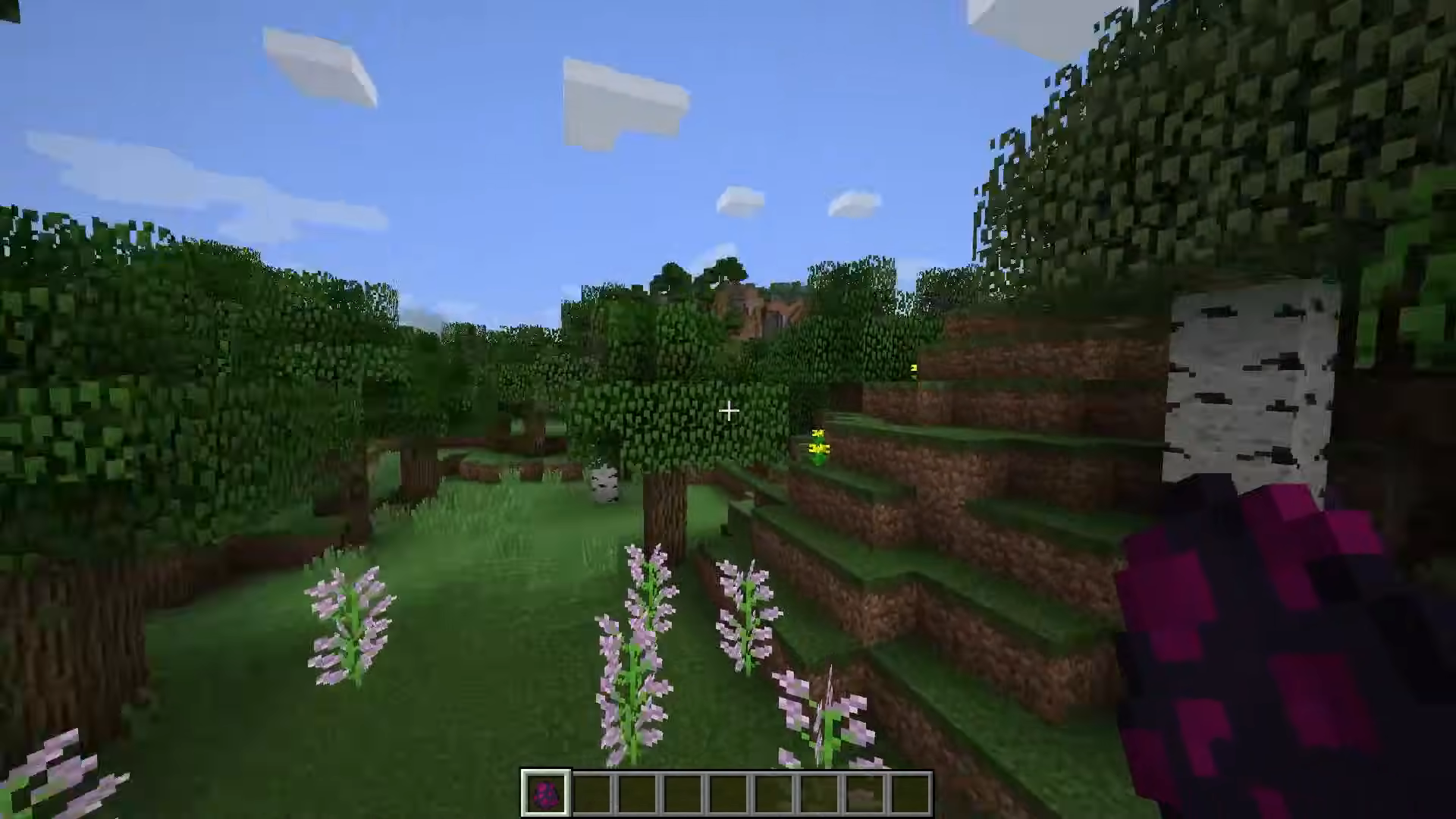
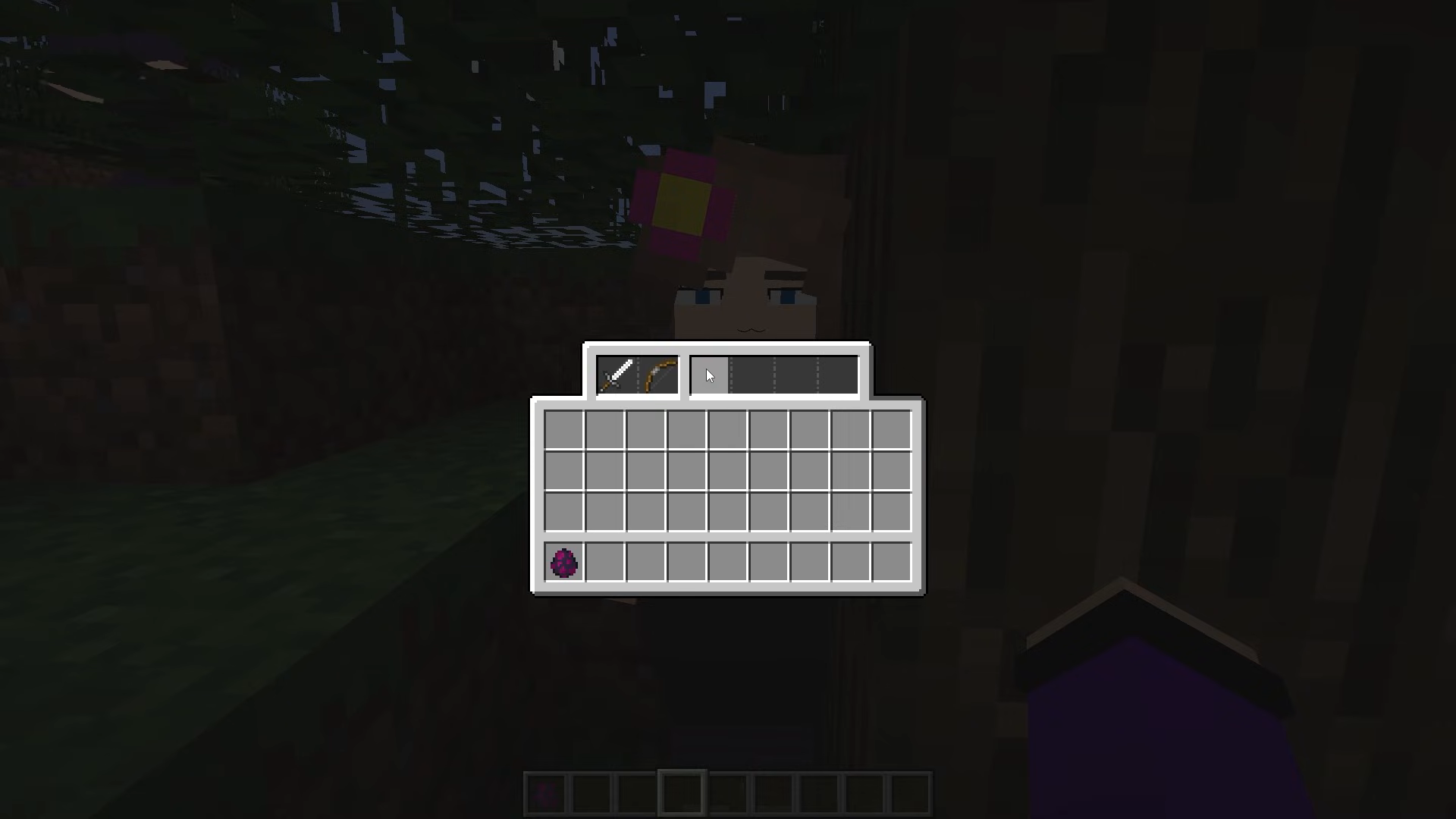
1 / 4
Jenny Mod vs Vanilla Minecraft
See what changes when you add Jenny-themed content to the base game.
| Feature | Vanilla Minecraft | Jenny Mod |
|---|---|---|
| Characters | Built-in mobs and NPCs such as villagers. | Adds Jenny. Some builds include other companions. |
| Interactions | Standard interactions such as villager trading and animal taming. | May add character menus and responses that vary by build. |
| Items and animations | Items, spawn eggs, and animations shipped with the game. | May add companion spawn eggs, items, models, and animations. |
| Setup | Launch the base game from your usual profile or app. | Use a compatible Java loader and mod, or a compatible Bedrock add-on. |
| Worlds | Worlds use the base game’s content. | Test in a separate world before adding mod content to an existing save. |
Jenny Mod System Requirements
Your game version and the files you install need to work together.
Start with a device that already runs Minecraft smoothly. Leave room for the mod files and saved worlds, and check the release notes for any extra requirements. Large worlds, shaders, and other add-ons can also affect performance.
Java Edition Requirements
| Component | Recommendation |
|---|---|
| Minecraft | Java Edition 1.12.2 |
| Mod Loader | Forge 1.12.2 |
| Java Runtime | Compatible Java 8 installation |
| Operating System | Windows, macOS, or Linux |
| RAM | Enough for Minecraft and the mod |
| Storage | Space for Minecraft, Forge, and the mod |
Bedrock / MCPE Requirements
- Compatible Minecraft Bedrock version
- Available storage
- Support for required resource and behavior packs
Jenny Mod Not Working? Common Problems and Fixes
If something goes wrong, check your edition, game version, and installed files first. The table below gives you a simple place to start for each common problem.
| Problem | What to Check |
|---|---|
| Mod Not Showing | Make sure you launched the Forge profile and put the .jar in that profile’s mods folder. Then check that the game version matches the file. |
| Minecraft Crashes | Check the required game, Forge, and dependency versions. Try a separate profile with only the required files to see whether another mod is causing the crash. |
| Not Working on 1.20 or 1.21 | The original Java setup targets 1.12.2. A file made for that version needs a matching setup, so check your release before using it with 1.20 or 1.21. |
| Characters Not Appearing | On Java, check the Mods menu and the Creative inventory. On Bedrock, check the required packs and follow the add-on’s own spawning instructions. |
| Textures or Animations Missing | Check that the matching resource pack or required files are installed. Use files from the same release, then restart your test world. |
Is Jenny Mod Safe to Download?
Check who made the file, which version it supports, and what is included.
Java: .jar Bedrock: .mcaddon / .mcpack
 Verify the release source
- Check the file type and game version
- Avoid unrelated installers or browser extensions
- Back up your Minecraft worlds
Frequently Asked Questions

Is Jenny Mod free to download?
Some community versions are free. Read the download’s release notes so you know which edition it supports, what it includes, and whether it needs any extra files.
Who created Jenny Mod?
The original mod is commonly credited to Schnurri_tv, also known as SlipperyTum. Several community adaptations and add-ons have appeared since its original release.
Does Jenny Mod work on Minecraft Java Edition?
Yes. The original Jenny Mod is commonly distributed for Minecraft Java Edition 1.12.2 and requires a compatible Forge installation.
Can I install Jenny Mod on Android?
You can install compatible community-made Jenny Mod add-ons on Minecraft Bedrock for Android. These use .mcaddon or .mcpack files.
Does Jenny Mod work on Minecraft 1.21?
The original Java mod targets Minecraft 1.12.2. Some separate Bedrock add-ons target newer Minecraft releases. Check the compatibility notes for the individual package.
Is Jenny Mod available for iOS?
Some community-made Bedrock add-ons may work with Minecraft on iPhone and iPad. You need a compatible add-on and a supported Minecraft version.
Do I need Minecraft Forge for Jenny Mod?
Minecraft Forge is required for the original Java Edition mod. Bedrock add-ons use Minecraft’s resource and behavior pack systems.
Is Jenny Mod suitable for children?
Jenny Mod is intended for adults aged 18 and older. Some builds contain explicit mature content.
Why is Jenny Mod not appearing in my game?
Check the Minecraft version, file format, and Forge profile for Java. For Bedrock, check that the required resource and behavior packs are active.
Is Jenny Mod an official Minecraft mod?
Jenny Mod is made by independent creators. It is not an official Mojang or Microsoft release, and different community projects can use the same name.